DocumentationDiscord Invite Configuration
Discord Invite Configuration
Enable an official community Discord invite button directly inside Spynixx Launcher and Discord Rich Presence.
Overview
When players connect to your server through Spynixx Launcher, their Discord Rich Presence status displays a direct button inviting their friends to join your community Discord server.
Discord Player Profile
Enlarge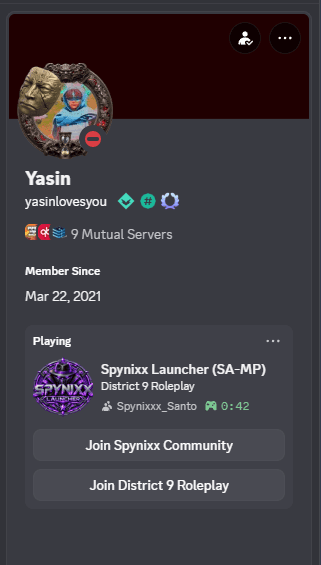
Profile view when players view your status in Discord.View image ↗
Rich Presence Action Buttons
EnlargeSPX
Spynixx Launcher (SA-MP)
Your Server Name • In-Game
Join Spynixx Community
Join Official Discord Server
Direct community invite button configured in config.json.View image ↗
JSON Snippet
Add the discord key to your server's root config.json:
config.json (discord)
"discord": {
  "invite": "https://discord.gg/YOUR_INVITE_CODE"
}
Full config.json Example
config.json
{
  "name": "Your open.mp Server",
  "discord": {
    "invite": "https://discord.gg/YOUR_INVITE_CODE"
  }
}
Invite Guidelines
- Permanent Invite Code: In Discord, create an invite link set to "Never expire" and with no maximum number of uses.
- Format: Replace
YOUR_INVITE_CODEwith your server's unique invite identifier. - Server Restart: After updating
config.json, restart your open.mp server to distribute the metadata.